
1
SOLARA Lemon Soda 350 ml
14
Verified: both counts agreeMore may be stored behind. Not included.
2 stacked layers × 7 cans
Quanto reads every product in the photo, counts each one twice and updates your stock by location. Made for stores, markets, restaurants, bars, warehouses and pharmacies.
14 days free. No credit card.
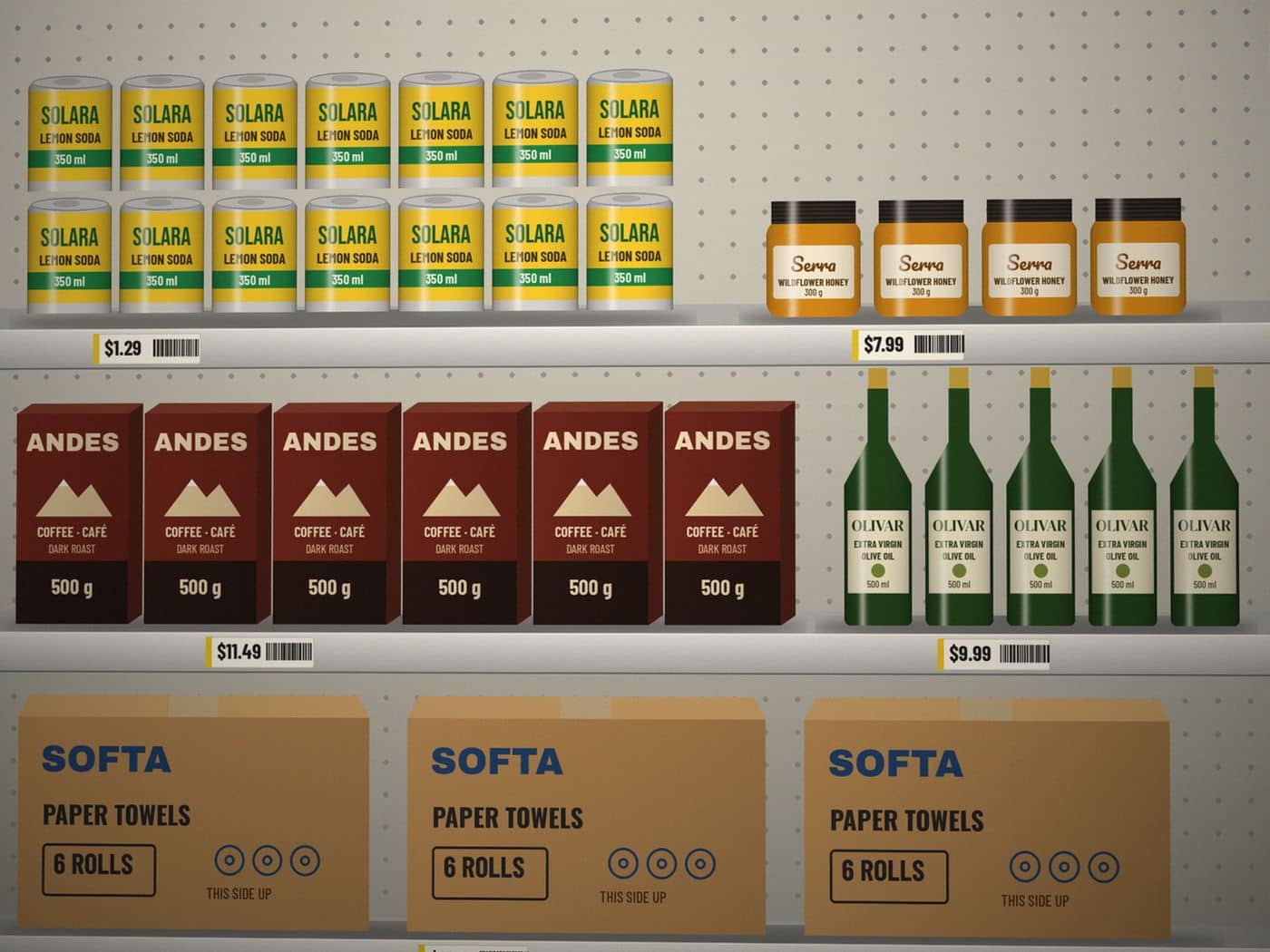
5 products, 32 units
SOLARA Lemon Soda 350 ml
2 stacked layers × 7 cans
Serra Wildflower Honey 300 g
1 row × 4 jars
ANDES Coffee · Café Dark Roast 500 g
1 row × 6 boxes
One shelf section, cooler door or pallet face at a time. Several photos can go into the same count.
Quanto counts row by row, then counts again on its own. If the two counts disagree, you see both and choose.
Stock updates for that location, with the photo, the before and after numbers, and who counted.
Every product is counted twice, separately. Matching counts are marked verified. Differences are shown to you, never hidden.
If more boxes may be stacked behind the front row, it says so and leaves them out of the number instead of guessing.
Items are matched to your catalog by brand, variant and size. New items are created from the photo, already named.
Scan a barcode with the camera or read it from a photo to find a product or add a new one.
Sales floor, stockroom, walk-in, back bar. Stock, low-stock alerts and stock value for each one.
Invite staff by email or with a team code. Saved counts show up on everyone's phone right away.
Export stock and count history to Excel or CSV for your accountant or your ordering.
It depends on the photo. With labels facing the camera, good light and one shelf section per photo, counts are usually exact. Low light, deep shelves and products hidden behind others make counts less reliable, so Quanto marks low-confidence numbers and possible hidden stock, and you can correct any number before saving.
Watch it count the sample shelfHundreds of products on the floor and in the back, and a count that never finishes.
Read more: Stores and marketsWalk-ins, dry storage and back bars counted after close.
Read more: Restaurants and barsCycle counts on bays and pallets without stopping the floor.
Read more: WarehousesFront-store shelves full of small, similar packages.
Read more: PharmaciesEvery plan starts with 14 days free. No credit card.
For a single store, kitchen or bar.
$29/month
For busier stores and multi-room operations.
$79/month
Free trial: 14 days with 3 locations, 3 people and 50 AI photo counts. When it ends, your data stays. Choose a plan to keep counting.
It depends on the photo. With labels facing the camera, good light and one shelf section per photo, counts are usually exact. Every product is counted twice; when the two counts disagree you see both numbers and decide. Low-confidence counts and stock that may be hidden behind the front row are flagged, and you can change any number before saving.
Photos are stored privately for your business. To count them, we send them to Anthropic, the AI provider behind Quanto. Under Anthropic's commercial terms, they are not used to train its models. We delete photos automatically after 90 days, and you can delete all of your data at any time in Settings.
Yes. Cancel from Settings whenever you want. Your plan stays active until the end of the month you paid for, and you can export your stock and count history to Excel before and after.
Yes. Invite teammates by email or share your team code. Starter includes 3 people and Business includes 15. Everyone works on the same stock, and saved counts appear on every phone right away.
Any recent iPhone or Android phone with a camera and a web browser. There is nothing to download from an app store: open the site and add it to your home screen. It also works on a computer for reviewing stock and exporting.
Start a 14-day free trial, no card needed. Or book a 20-minute demo and we'll count one of your shelves together.
14 days free. No credit card.